Student analytics
See which puzzle themes each student is weak at, strong at, or has barely practised.
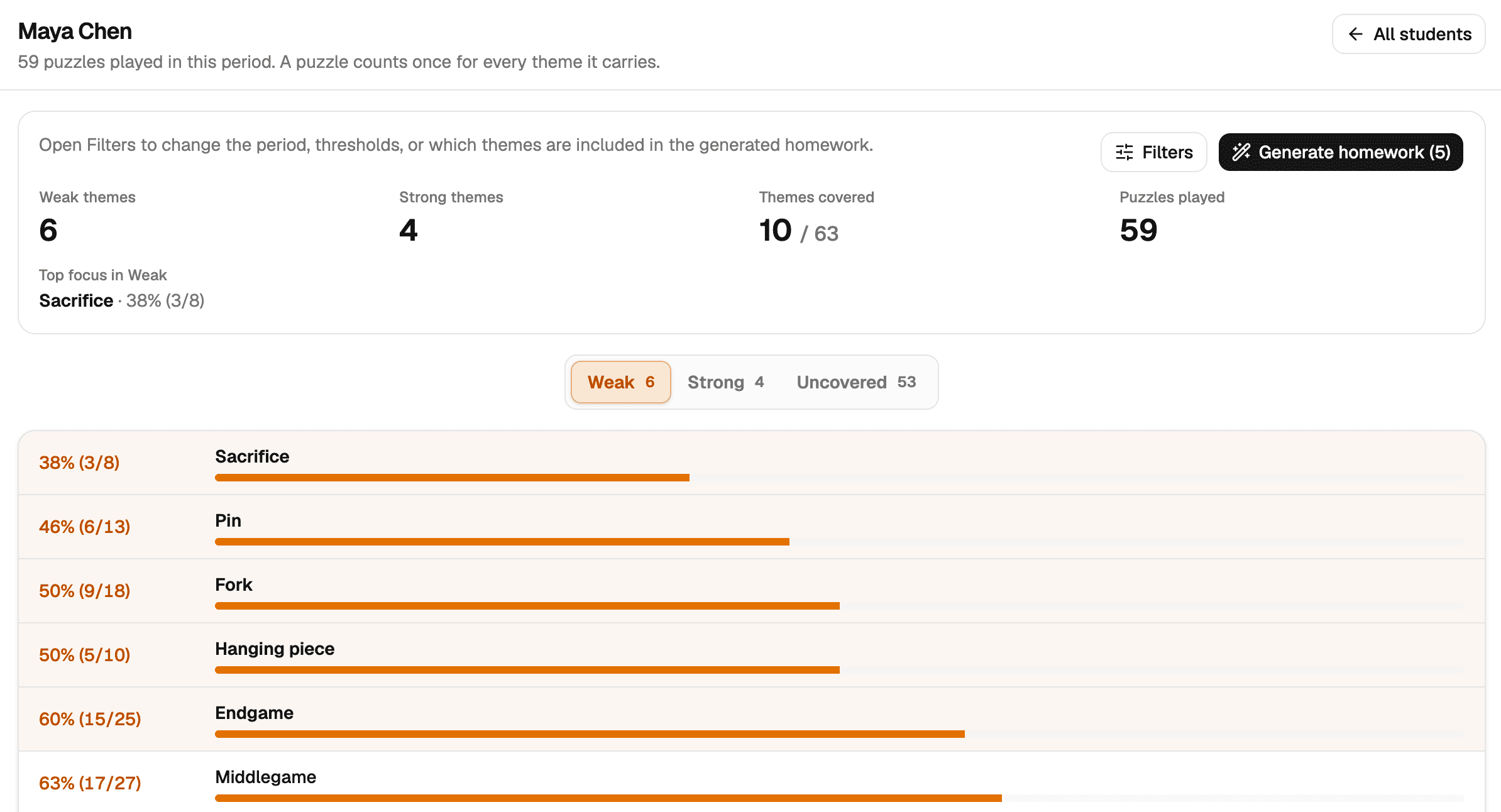
- Generate the next set straight from a student’s weak themes
- Change the period, success threshold, or minimum plays
Square64 · for professional chess coaches
Puzzle homework that replays every arrow, wrong try, and second - plus the lessons, sparring, and payments around it.
Square64 is the dashboard for professional chess coaches: assign puzzle sets and timed racers, spot each student’s weak themes, schedule on Google Calendar, and track direct payments with 0% platform fees. Not a training app. Not a generic scheduler.
Free during the pilot · free for up to 5 active students when billing startssee Pricing
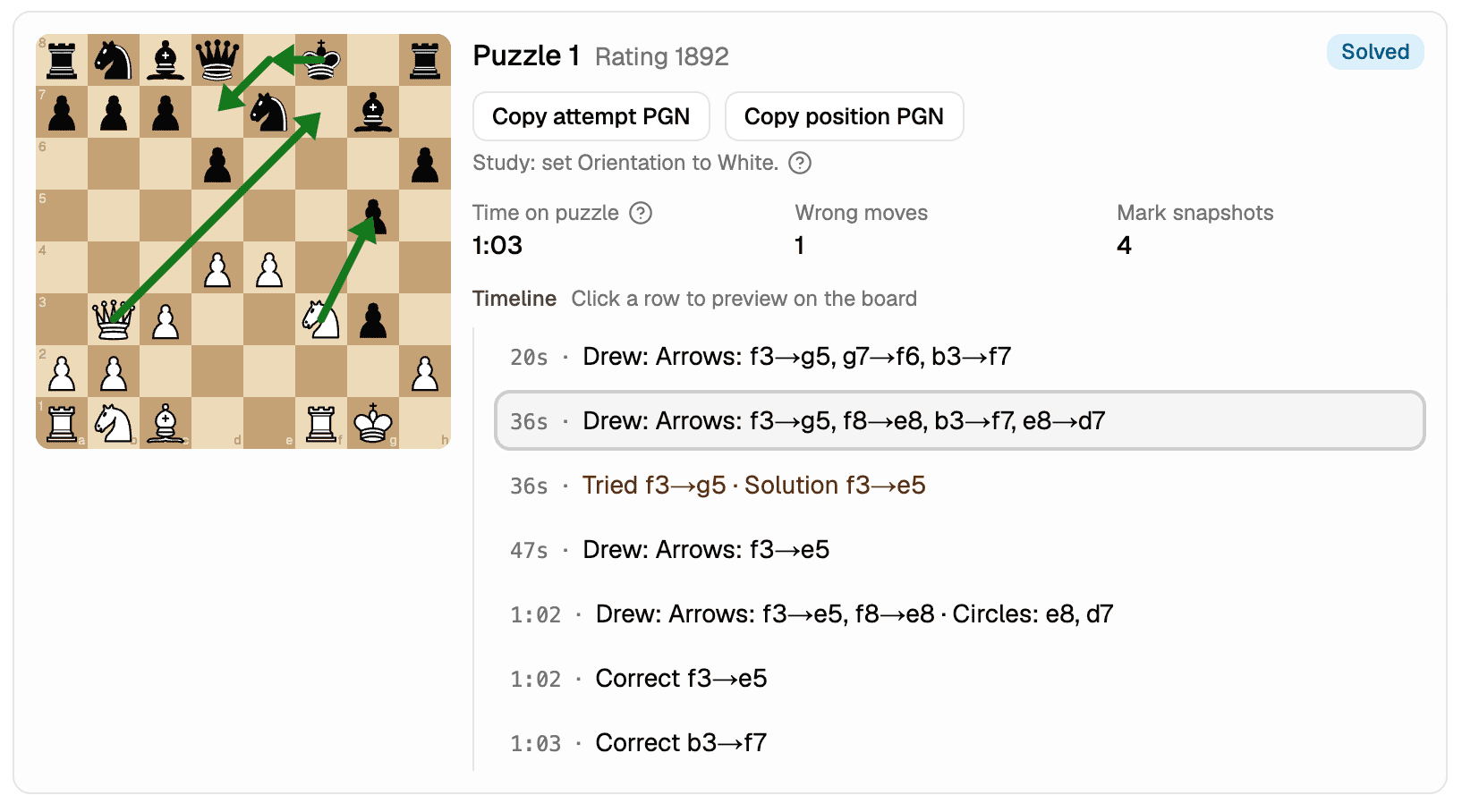
The part I open after every homework is the analytics. I can see how a student actually thought through the position, not just whether they got it right, so it’s much clearer where their play is weak before the next lesson.
You teach chess - you should not spend evenings reconciling calendars and chasing payments.
Lessons in Google Calendar, students in a spreadsheet, puzzle PDFs in email threads, and payment status in your head.
Chasing unpaid lessons, resending Meet links, following up on homework, and checking who still needs to be scheduled.
Most schedulers ignore the unique rhythm of chess coaching - sparring, separate rates, puzzle homework, and direct payments.
Get set up in minutes - then run your week from the dashboard.
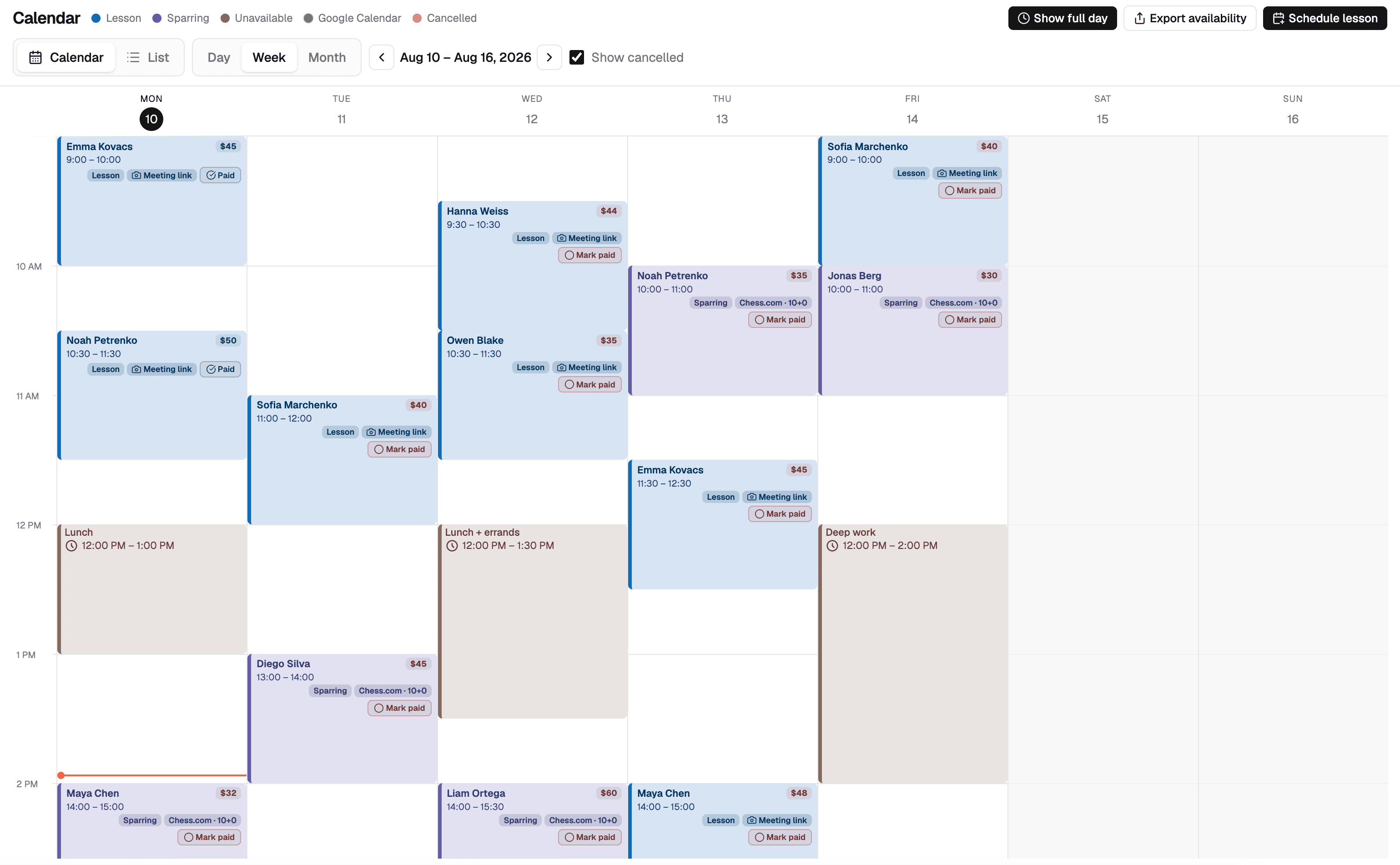
One Google sign-in. Lessons and sparring land on your Google Calendar, and your busy times flag conflicts before you book.
Build your roster with lesson and sparring rates, set working hours, and publish your public profile when ready.
Book lessons, sparring, or weekly series from your calendar. Get Meet links, track payment status, and send branded student emails.
Create a themed puzzle set or timed racer sprint, share the student link, and review how they solved - including arrows and circles - before your next session.
From spotting a weak theme to the next lesson - one workflow.
See which puzzle themes each student is weak at, strong at, or has barely practised.
Open results for puzzle sets and racers before the next lesson - not only right or wrong.
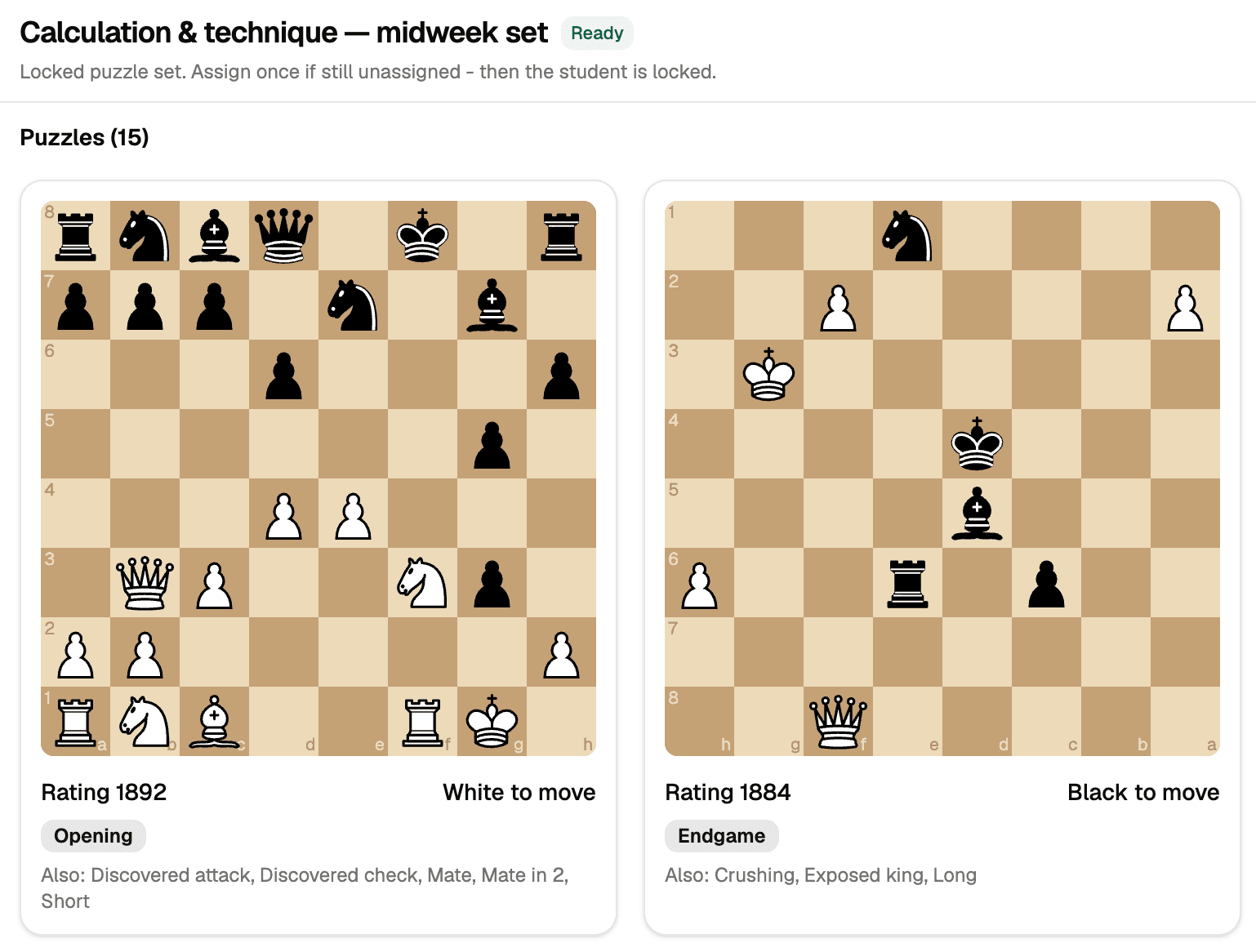
Curated puzzle sets or a clocked racer sprint. Preview, swap, then assign via link or email.
Your week at a glance - schedule, sync, and teach from one place.
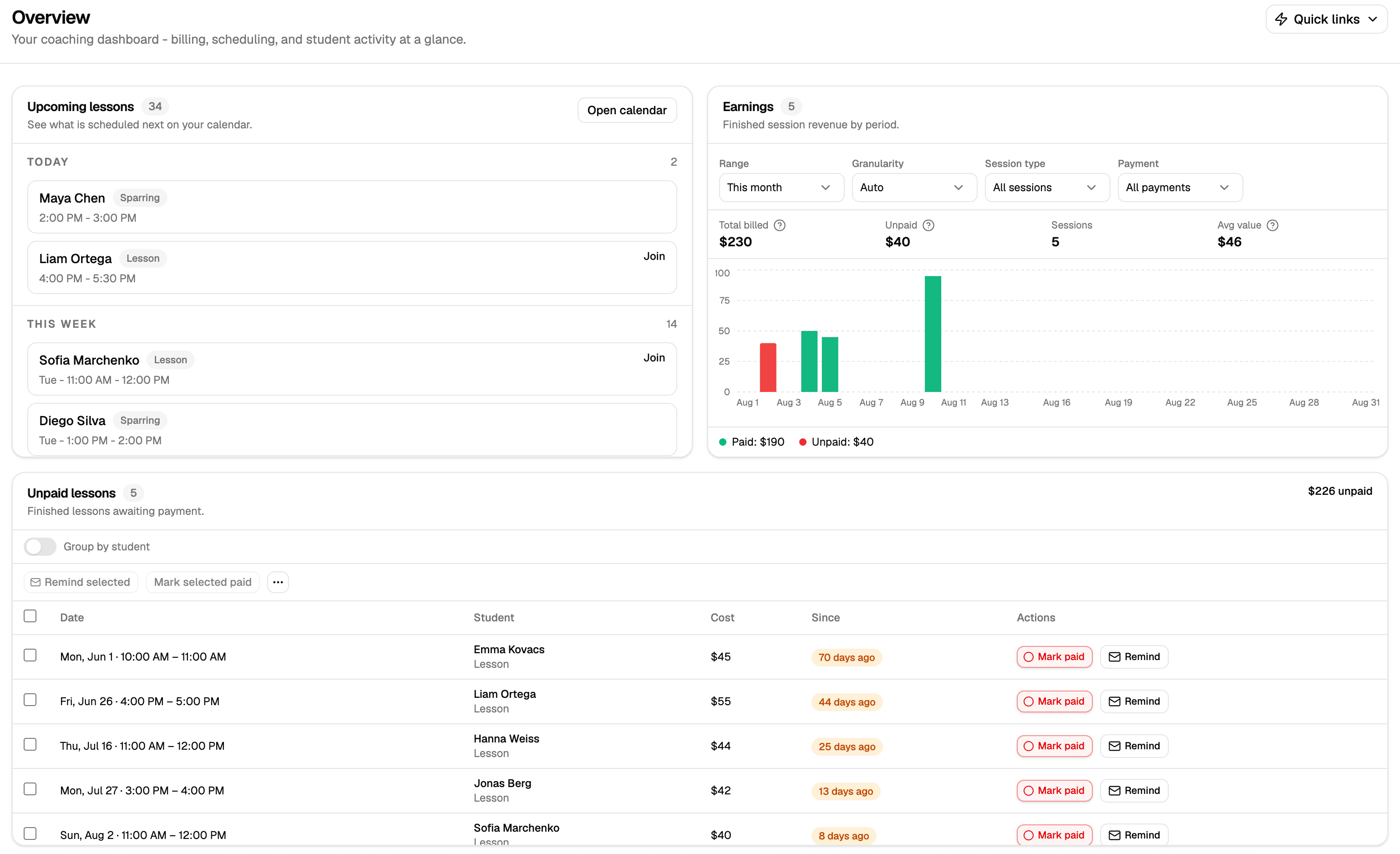
Start each day with what matters - before you open the calendar.
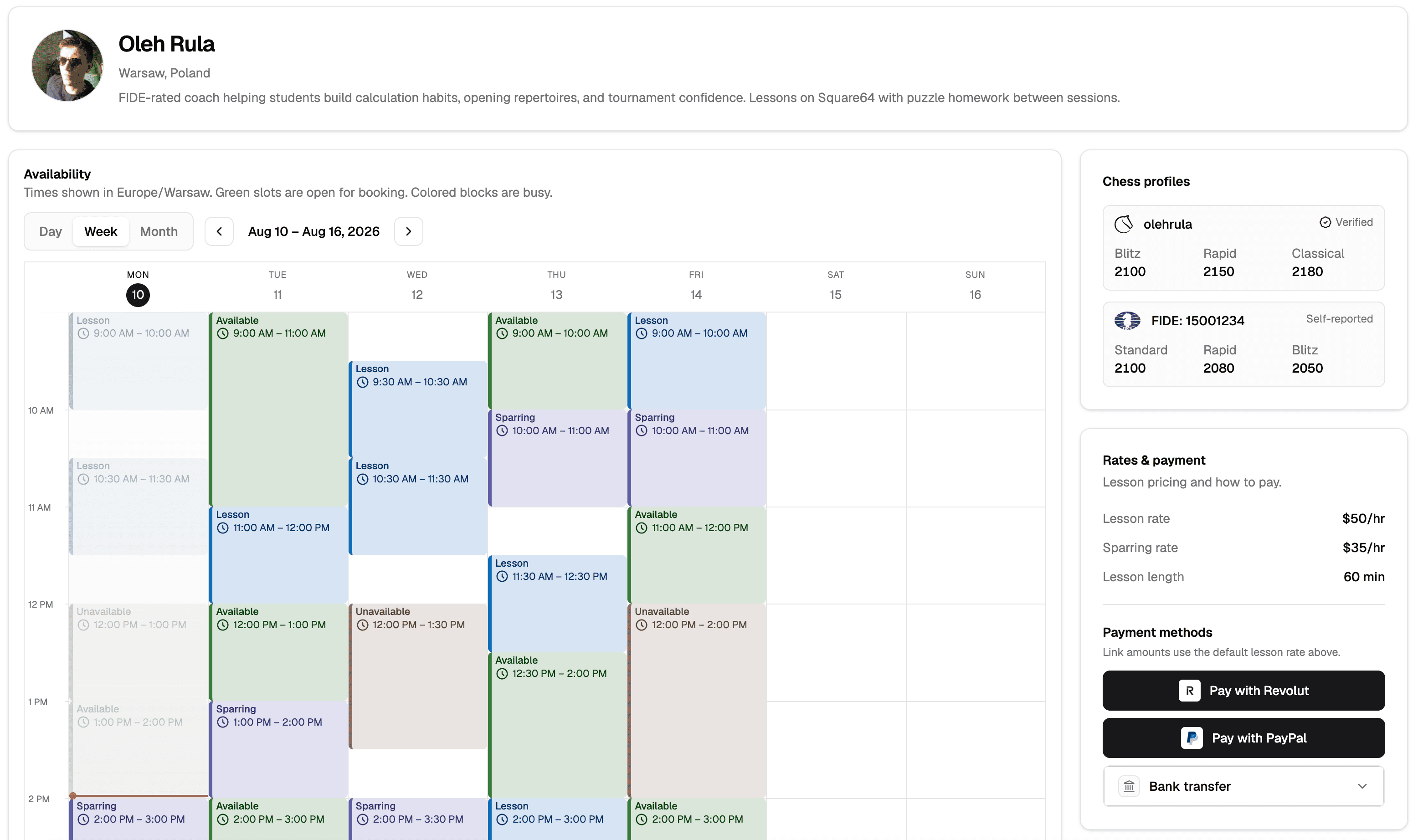
Share a professional page with your availability and credentials.
Track lesson balances without platform commissions or payment processor markups.
Keep every student in one list with the context you need.
Free during the pilot. When billing starts, stay free with a small roster or upgrade to Solo for unlimited active students. Every feature is included on both plans.
Up to 5 active students
€0/mo
Unlimited active students for one coach
€19/mo
Billing is not live yet. Packaging may change before launch - we will communicate in advance.
Send them a puzzle set tonight and see how they solved it before the next lesson.
Free during the pilot · free for up to 5 active students when billing starts
Coaches sign in with Google and connect Google Calendar so Square64 can create, update, and remove lesson and sparring events on their calendar, attach Google Meet where the product supports it, and check for conflicts and busy times.
Square64 does not sell Google user data or use it for advertising. Students and parents do not sign in with Google.
 Revolut
 PayPal
 Venmo
Venmo Zelle
Zelle Monobank